A request drops in Slack: "Hey can you do this ASAP?" Three thumbs up. Two follow ups. One passive-aggressive emoji. Zero clarity.
By tomorrow, everyone is busy, nobody is aligned, and the request somehow becomes your fault. That is not a workload problem. That is an intake problem.
This issue is your front door. A simple intake form that turns "ASAP vibes" into "clear inputs, clean execution."
The rule
If the request is fuzzy, the work gets expensive. Rework is not bad luck. Rework is what happens when the request shows up half-dressed.
The 10-minute intake form playbook
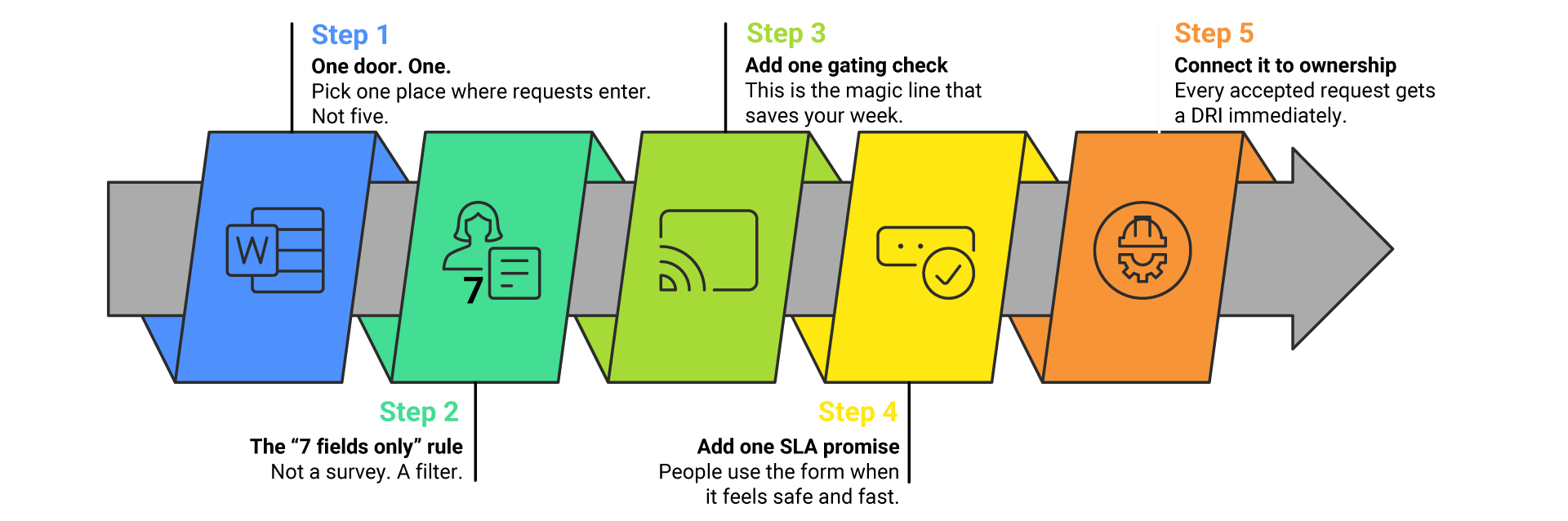
Step 1: One door. One.
Pick one place where requests enter. Not five.
- Google Form, Notion, Jira, Asana, Monday. Choose one and make it the official front door.
- Because if people can DM you, they will. And then you are running a help desk powered by vibes.
Step 2: The "7 fields only" rule
Not a survey. A filter.
- What do you need? (one sentence)
- Why does it matter? (impact)
- When do you need it by? (date + why)
- Priority (P1 / P2 / P3)
- Owner on your side (name + team)
- Success looks like (define "done")
- Links / attachments (optional)
If it needs more than this, it probably needs a quick scoping chat anyway.
Step 3: Add one gating check
This is the magic line that saves your week.
A request is ready when fields 1 to 6 are completed, and an owner is named. If it is missing anything, it is not rejected. It is simply: Not Ready. Not Ready is calm. Not Ready is professional. Not Ready prevents chaos.
Step 4: Add one SLA promise
People use the form when it feels safe and fast.
- P1: response within 4 business hours.
- P2: response within 1 business day.
- P3: response within 3 business days.
Response means: accept, decline, or request missing info. Not "finish the work overnight while eating stress for dinner."
Step 5: Connect it to ownership
Every accepted request gets a DRI immediately. Rule: no DRI, no movement. Otherwise you get the classic mystery novel: "And then the request disappeared."
Copy and paste: the intake form
Use this as-is.
Request Intake Form
- What do you need? Short description.
- Why does it matter? Impact (cost, customer, safety, compliance, revenue, time).
- Due date and why. Due date and reason for the deadline.
- Priority: P1 urgent, P2 important, P3 normal.
- Request owner (your side): name + team.
- Success looks like: define "done" in one sentence.
- Links / attachments (optional): docs, screenshots, examples.
Definition of Ready: fields 1 to 6 completed and an owner assigned.
The hidden win: fewer meetings
This form quietly deletes the worst meeting on your calendar: the "So what are we actually doing here?" meeting. Because the request shows up pre-shaped. Like meal prep, but for operations.
Quick example: what good looks like

- What do you need? Add a shipping delay alert to the customer email.
- Why does it matter? Fewer tickets and fewer chargebacks.
- Due date and why: Friday, aligned to promo launch.
- Priority: P2.
- Owner on your side: Maria, CX Lead.
- Success looks like: email triggers at 48+ hours delay and includes updated ETA.
- Links: current template + ticket examples.
Now your team can execute without playing 20 questions.
Fix the front door
If your team is solid but everything still feels messy, your intake is the leak. Fix the front door and the whole system calms down.
Lior Zaken
Operational Excellence & Continuous Improvement